Web interface#
manent-server serves a web interface at /, on the same address as the API: whoever releases, approves or is on call can follow deploys, waves and logs and take decisions without the CLI. The interface is built into the binary and the official images, so there is nothing else to install.
It shows only what the user is allowed to see and offers only the actions they are allowed to take: permissions are the RBAC rules of the API, which checks every request anyway.
Views#
| View | What it shows | What you can do |
|---|---|---|
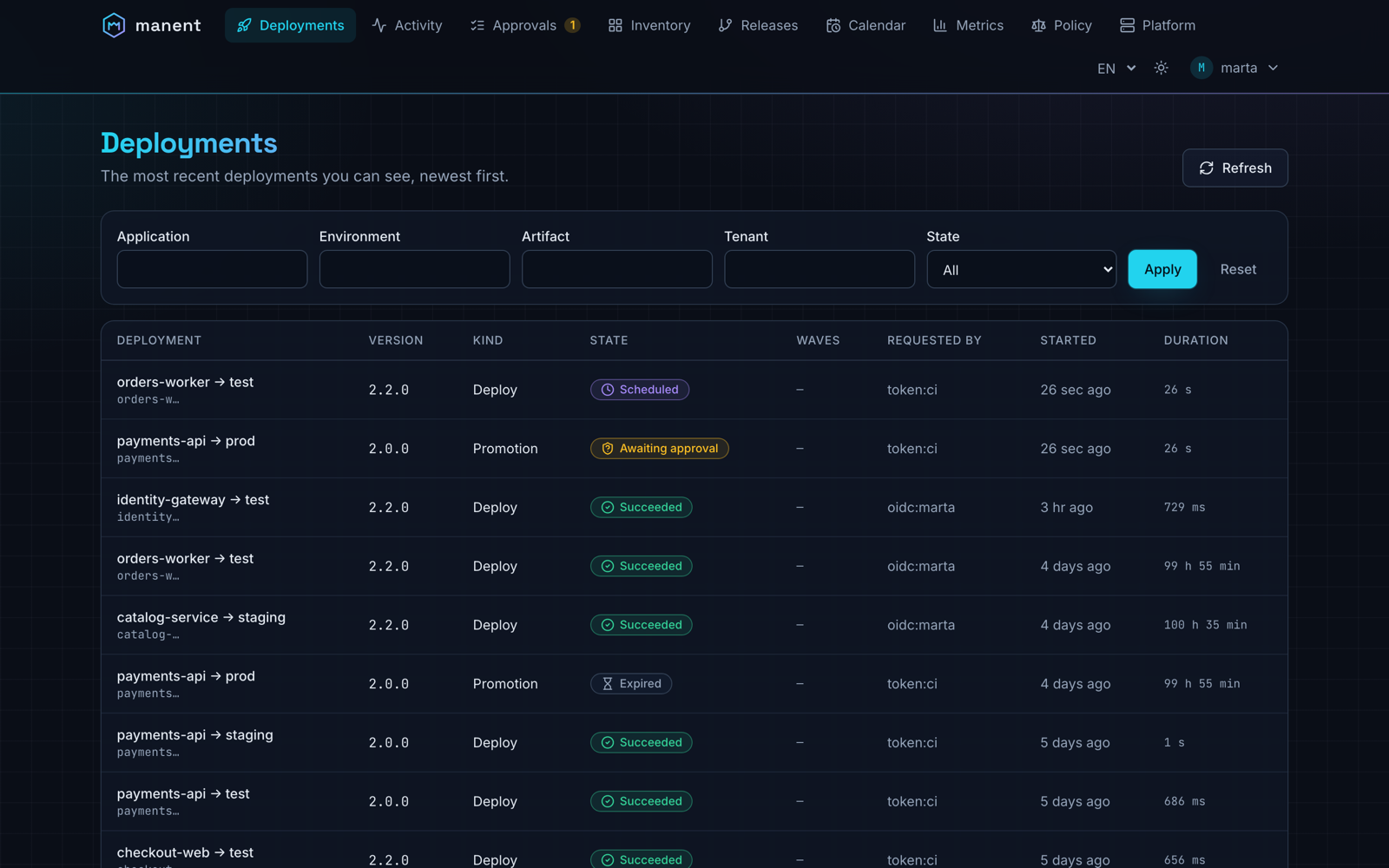
| Deployments | The most recent deploys, filterable by application, environment and state, with kind, wave progress, requester and duration. | Open a deploy. |
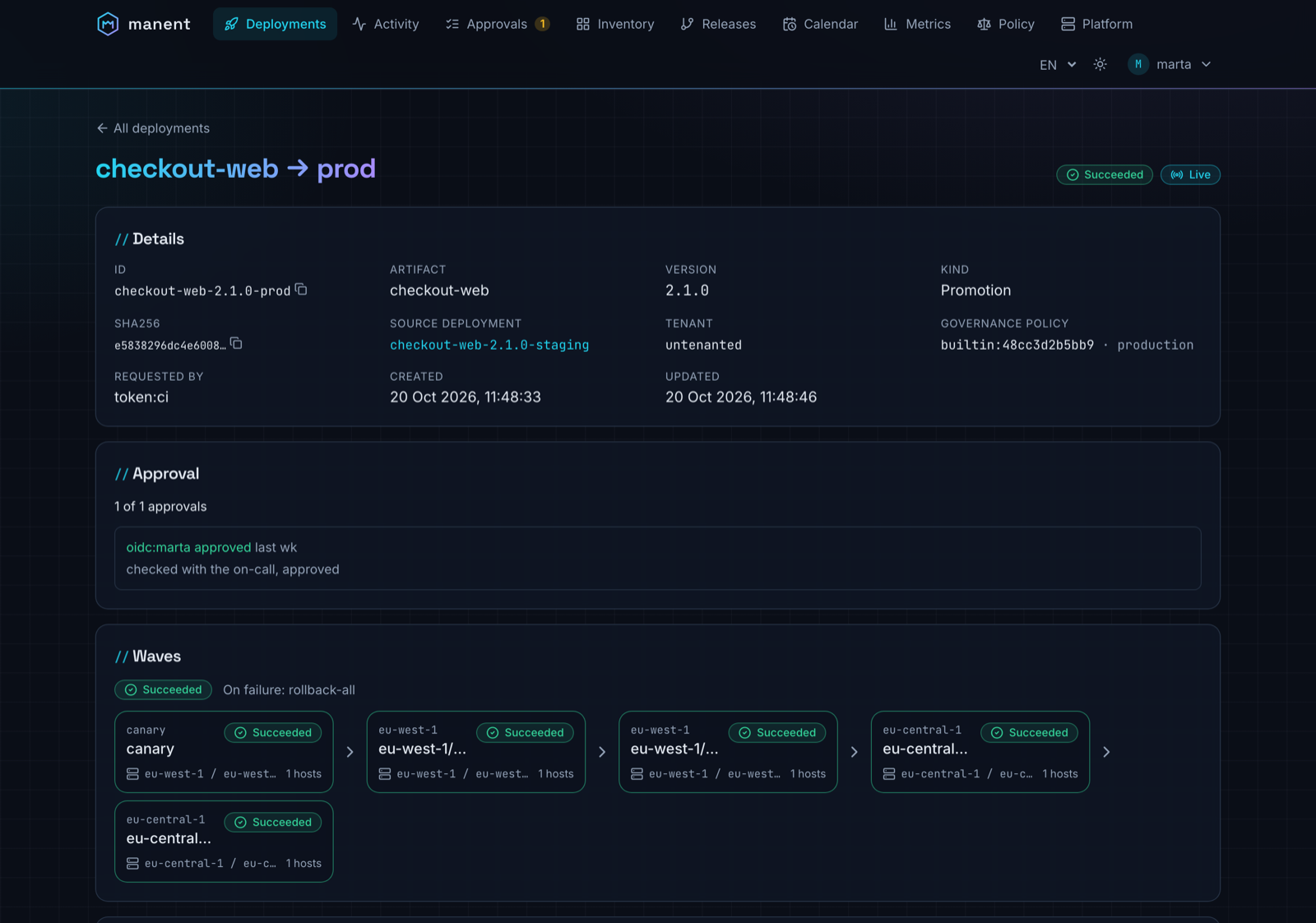
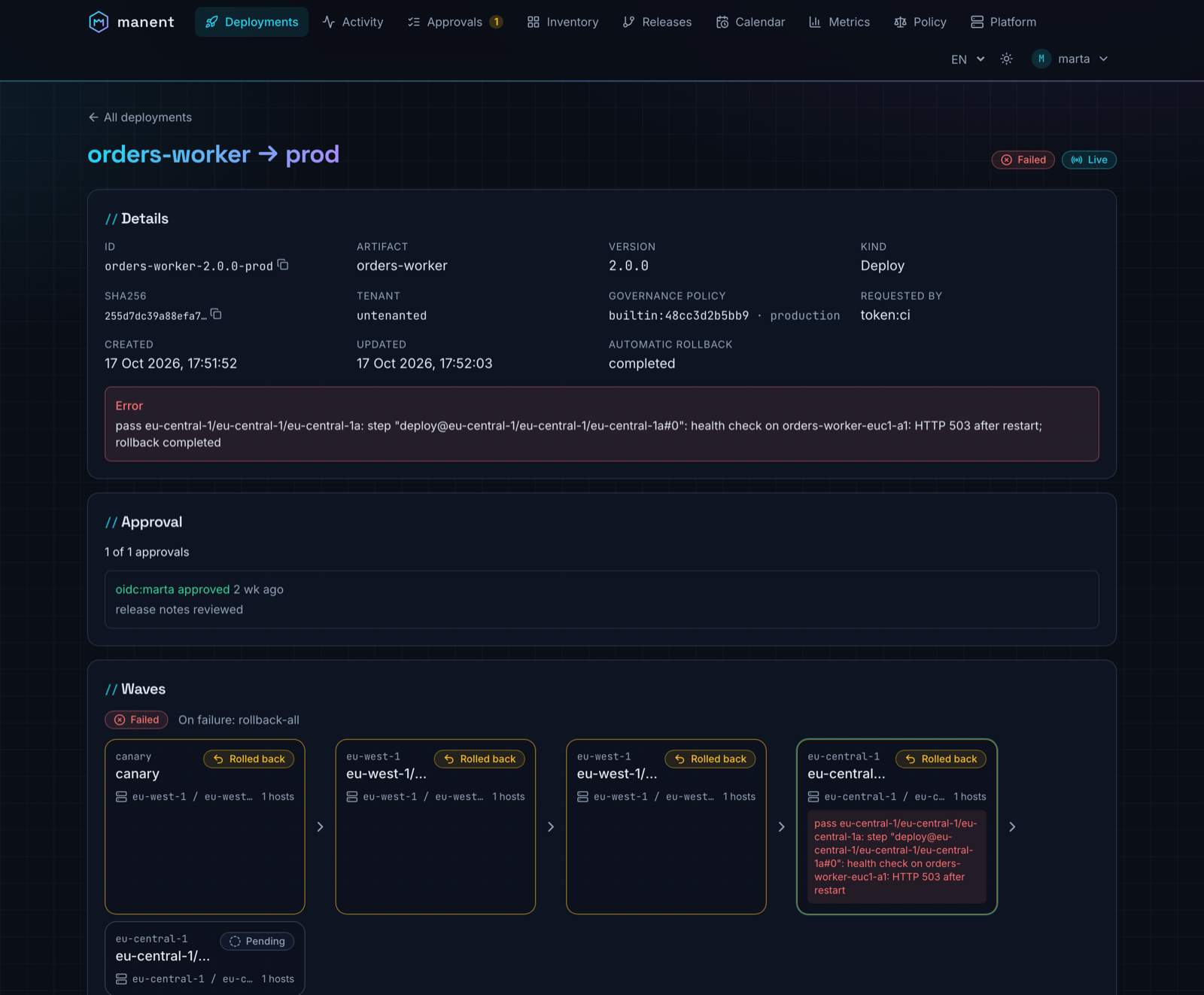
| Deployment detail | Status, sha256, origin of a promotion or rollback, release, dependencies with their state, approvals with comments, waves (stages, regions, AZs, health gate), recorded steps, log. Status and log update live. | Approve or reject, cancel. |
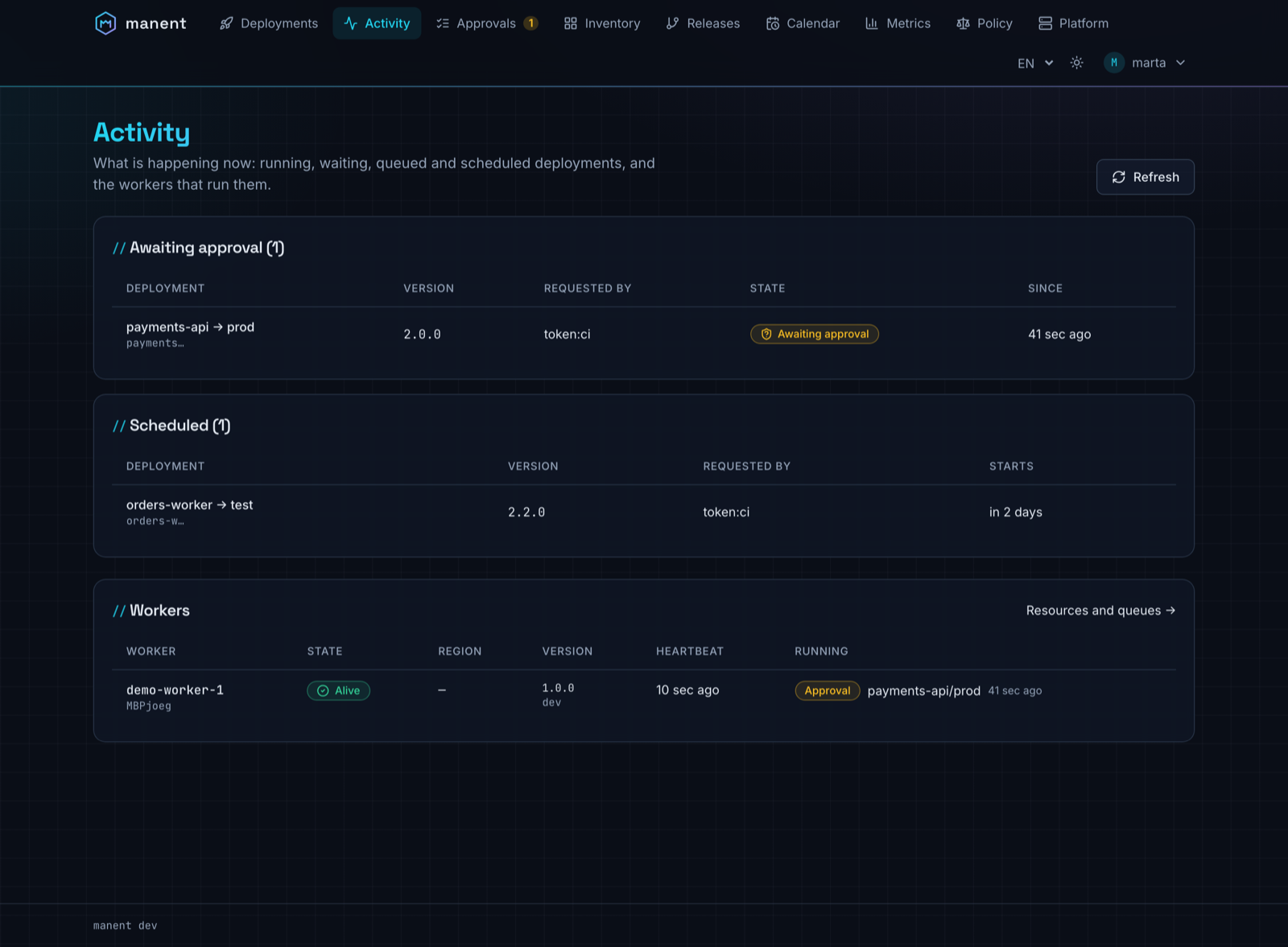
| Activity | What is happening now: running deploys with worker, last step and wave progress; deploys awaiting approval, waiting for dependencies, queued and scheduled. With platform.read, the workers with state, region, heartbeat and running workflows. Refreshed every 5 seconds. |
Open a deploy. |
| Approvals | Deploys waiting for a decision that you can take, before the start or between two waves. | Approve with a comment, reject (comment required). |
| Releases | Composite releases with the progress of each deploy, its dependencies and the rollbacks of onFailure: rollback. |
Open a release or a deploy, cancel a release. |
| Tenants | Shown when the tenant registry has tenants you can read: tags, owned applications, queue, filters by application and selector. The page of a tenant shows its applications with their tags and the release in service per application, artifact and environment. | Open the deploy in service or the deploy history of an application. |
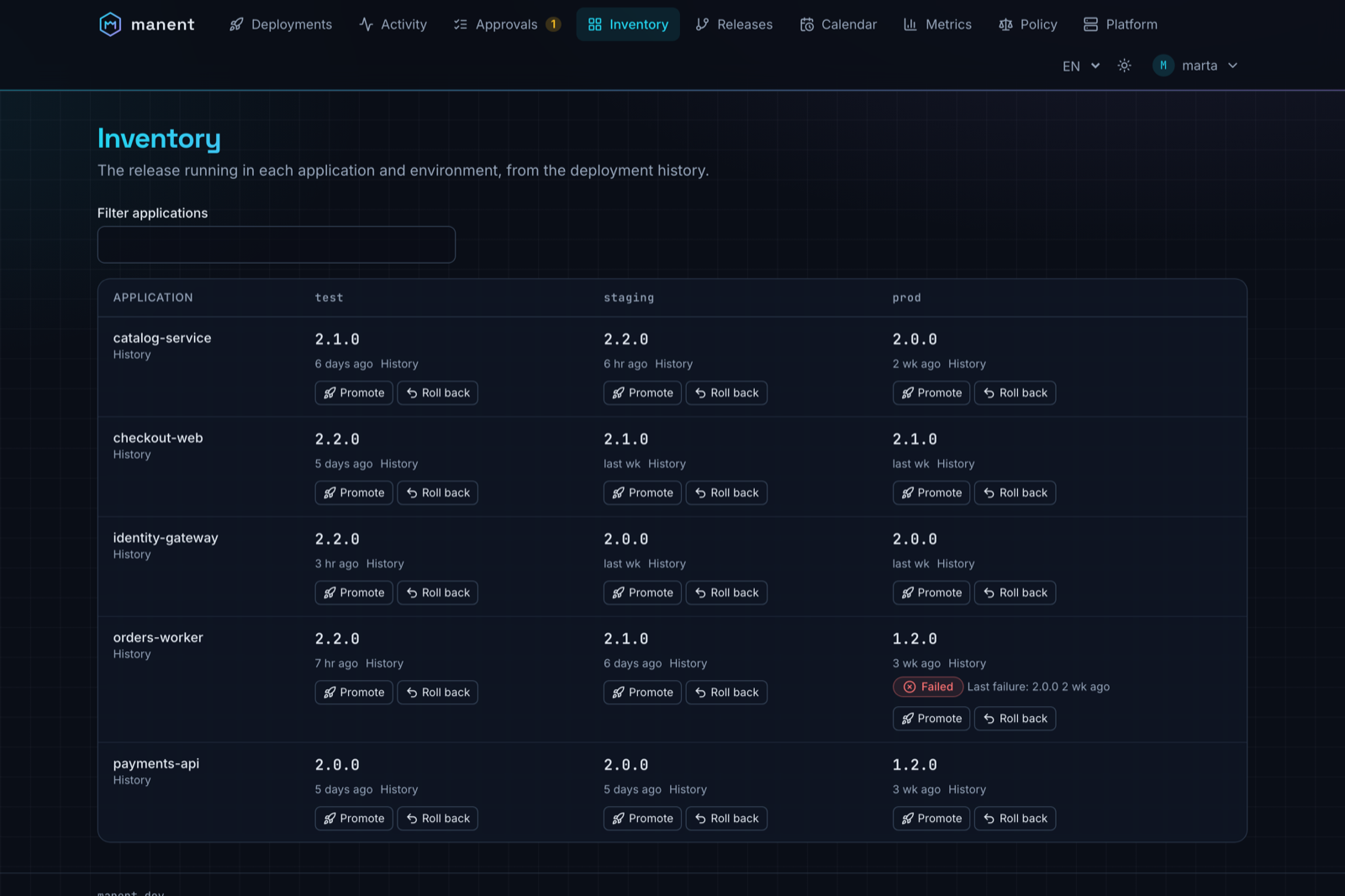
| Inventory | Live release per application and environment and artifact (with the owner tenant), last failure and drift. | Promote to another environment, roll back, always after a dry-run. |
| Calendar | Active and upcoming freeze windows (also per region, hard, created at runtime with their author), recurring schedules. | With freeze.write, create an emergency freeze and close those created at runtime. Pause, resume and delete schedules. |
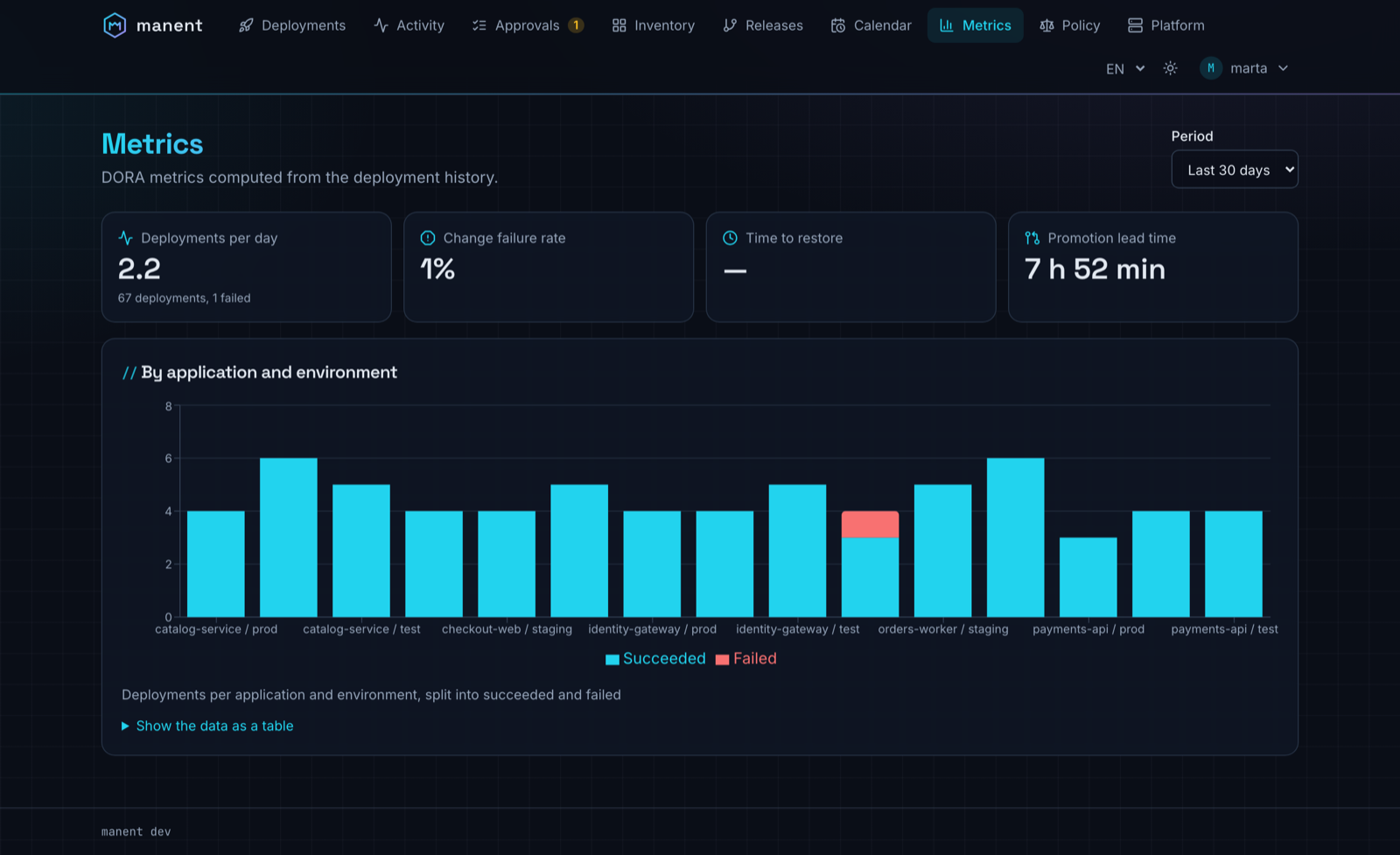
| Metrics | DORA metrics over 7, 30 or 90 days, per application and environment, with the data also as a table. | |
| Platform | With platform.read: the queues (deploys, approvals and waits, region passes) with their limits, the workflows waiting, running and scheduled, the oldest wait and the workers listening; the workers with their resources (CPU used and available, process memory against the container limit or the host memory, deploy slots busy, free space of the workdir, host load) and the queues they listen to. Refreshed every 5 seconds. |
Open the deploys running on a worker. |
| Policy | With policy.read: engine, source and revision of the governance policy in force, the revisions with state, author, approver and tests, the files of each revision. |
With policy.write compute the impact on the last 7 days and, with rbac.engine: opa, simulate in Access the permissions of an identity; with policy.approve approve a draft or go back to a previous revision. |
Every view has its own URL with filters in the query string, so a link pasted in a chat opens exactly the same page.
Promotions and rollbacks always go through a dry-run: the dialog runs it on a worker and enables confirmation only if it succeeds. A freeze override reason is offered only to those with deployment.freeze-override. Approvals follow the rules of governance: whoever requested a deploy cannot approve it, and the button explains why. The detail of a deploy shows the revision of the governance policy that decided it and, if the policy limits them, the allowed approvers.
Screenshots#
From a demo environment with five applications, three environments and four weeks of history.
Sign-in#
With authentication enabled the interface uses OIDC with Authorization Code and PKCE: the browser obtains a token from the identity provider and sends it to the API exactly like the CLI does. Tokens stay in memory only (no cookies or localStorage), so there is no CSRF; after a page reload the identity provider signs the user in again without asking for credentials while its session is active.
auth:
  mode: enabled
  oidc:
    issuer: https://login.example.com/realms/corp
    audience: manent
    username_claim: preferred_username
    groups_claim: groups
    ui:
      client_id: manent-ui          # public client, no secret
      scopes: [openid, profile]     # default
      redirect_path: /auth/callback # default
On the identity provider:
- register a public client
manent-uiwith PKCE (S256), redirect URIhttps://<manent>/auth/callbackand post-logout URIhttps://<manent>/; - make the access tokens of this client carry the audience of
auth.oidc.audienceand the groups claim (groups_claim): in Keycloak an audience mapper and a group membership mapper, in Entra ID a scope of the exposed API and group claims; - allow the manent origin in CORS for the token endpoint (Keycloak: Web origins).
The browser allows this sign-in only on HTTPS (or localhost), because PKCE needs the Web Crypto API: served over plain HTTP, the interface explains that it needs HTTPS.
Static tokens remain for automated systems and are not a way to sign in to the interface. With auth.mode: none (development only) the interface opens without sign-in and shows a permanent warning; with authentication enabled but no auth.oidc.ui, it explains that sign-in is not configured.
Configuration#
| Key | Default | Description |
|---|---|---|
http.ui.enabled |
true |
Serves the interface at /. With false only the API, /healthz and /readyz remain. |
auth.oidc.ui.client_id |
Public OIDC client of the interface. | |
auth.oidc.ui.scopes |
[openid, profile] |
Requested scopes; add offline_access if the identity provider issues refresh tokens only with it. |
auth.oidc.ui.redirect_path |
/auth/callback |
Return path after sign-in. |
The interface reads this configuration from GET /ui/config.json (no authentication, no secrets) before signing in.
Live updates#
The deploy detail receives status and log as Server-Sent Events (/api/v1/deployments/{id}/events). If a proxy blocks the stream the interface switches to polling every 3 seconds and says so in the header ("Polling"). The other views refresh every 15–60 seconds and when the browser tab comes back into focus.
Proxies in front of manent must not buffer text/event-stream responses (with NGINX: proxy_buffering off for that path, or rely on the X-Accel-Buffering: no header that manent sends).
Security#
- Content Security Policy: scripts only from manent itself (no inline scripts), connections only to manent and the OIDC issuer,
frame-ancestors 'none',object-src 'none'. Inline styles are allowed for dialog components. - Other headers:
X-Content-Type-Options: nosniff,X-Frame-Options: DENY,Referrer-Policy: no-referrer,Cross-Origin-Opener-Policy: same-origin. - Untrusted content: logs, errors and approval comments are rendered as text, never as HTML.
- Caching: files under
/assets/have a hash in the name and are cached for a year;index.htmlis never cached, so an upgrade of manent reaches the browser at once.
Accessibility and languages#
The interface aims at WCAG 2.1 AA: semantic landmarks and headings, a "Skip to content" link, focus moved to the title on every page change, status shown with icon and text (never colour alone), tables with captions and header cells, dialogs with focus trapping, state changes of a deploy announced to screen readers, charts with a table alternative, reduced motion and higher contrast honoured. The use cases check it with axe on every view, in both themes.
It is available in English and Italian (from the browser, with a selector in the header) and has a dark theme like this site and a light one.
Building#
Release binaries and images include the interface. To build it from source, Node 20 or later is needed, or Docker:
make web        # web/ → internal/webui/dist (Node locally or a node:22 container)
make build      # also runs make web; NOUI=1 skips it
make web-dev    # development server on http://127.0.0.1:5173 with the API of a local manent
make web-test   # types, component tests and alignment with api/openapi.yaml
A binary built without the interface (NOUI=1, or go build on a clean checkout) serves a page at / explaining how to build it; the API is not affected.